Confidentiality
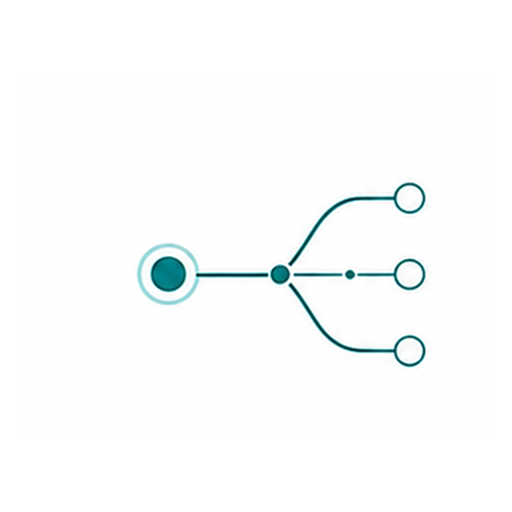
Sensitive data never leaves your infrastructure. Model training and operation happen entirely on-premises.
Artificial intelligence implementation
I connect business requirements, data, local LLM infrastructure, and project delivery into systems that run within a company-controlled environment.
Why local AI
Documents, communications, and knowledge bases are processed on your equipment and never sent to external services.
The system uses your documents, terminology, and rules as context, producing answers aligned with your business processes.
Modern compression methods let you run powerful models on regular company workstations and servers.
Long regulations, meeting minutes, and technical reports are analyzed in full without losing context.
A local server responds immediately — no queues, no limits, no dependency on internet speed.
Open tools and models give you freedom: no subscription fees, rate limits, or restrictions.
Implementation advantages
Sensitive data never leaves your infrastructure. Model training and operation happen entirely on-premises.
The model is tuned to your company's documents, workflows, and terminology — without compromise.
No monthly API fees. The model runs on your hardware — costs are predictable and controllable.
Local solutions perform consistently under any load — no cloud queues or rate limits.
Roadmaps, risks, team training, and acceptance criteria are defined before development begins.
| What business gets | Local AI | Cloud AI |
|---|---|---|
| Data security | 100% — data stays inside your perimeter | Depends on provider |
| Cost predictability | Fixed (hardware) | Variable (per token) |
| Deployment speed | 2–4 weeks to PoC* | 2–4 weeks to PoC* |
| Customization | Full (fine-tuning, RAG) | Limited (prompt engineering) |
| Offline operation | Yes | No |
* — depends on the project and the customer’s infrastructure. Ready-made solutions can be launched quickly!
Where local AI matters most
Local models are most useful in teams that handle contracts, reports, requests, instructions, and internal communication on a daily basis.
Review contracts, appendices, dispute protocols, and internal policies. Local AI helps surface risk, wording conflicts, and concise redlines for approval.
Process primary documents, payment comments, and closing materials while drafting clearer explanations and internal summaries.
Collect briefs, segment inquiries, draft campaign copy, email flows, offers, and short competitor snapshots.
Turn instructions, shift logs, issue reports, process maps, and quality notes into concise guidance for floor managers and leadership.
Answer common new-hire questions, support onboarding packs, and speed up access to policies, standards, and internal documentation.
Classify tickets, draft reply templates, summarize email threads, and help with supplier requests, specifications, and approval chains.
Real use cases
Concrete application examples that already deliver results across documents, service requests, marketing, manufacturing, and onboarding.
The model transcribes meeting audio, separates speaker turns, and extracts decisions, tasks, and next steps. The result is structured meeting minutes with owners and deadlines, ready for distribution or knowledge base import.
Upload a contract, technical specification, or regulation — the model reads the full document, finds key clauses, contradictions, and risks, and prepares an executive summary for management or legal review.
The model answers employee questions about internal regulations, procedures, and accumulated materials. Data never leaves the company server, and answers are grounded only in verified documents.
Classification of incoming requests, emails, and customer inquiries by category and priority. The model drafts a response that the employee reviews before sending — time savings with human oversight.
The model pulls data from multiple sources — meeting notes, project documents, metrics — and generates a structured report: status, risks, financial indicators, and next steps.
New employees ask questions about internal processes, standards, and documentation. The system uses company materials as verified sources, reducing onboarding time while easing the workload on mentors.
A local model helps collect the brief, summarize research, and draft articles, landing pages, newsletters, and ad copy in your brand voice.
The model processes work instructions, shift reports, nonconformities, and checklists, then turns them into short summaries for supervisors and plant managers.
Projects with local language models
Subagents are specialized AI assistants: each handles a single task with transparent inputs, outputs, and limits. Instead of relying on one universal model, you can assemble a workflow from verifiable roles for a specific goal.

Researcher
Researches the audience and builds a verifiable opportunity map.

Inventor
Examines contradictions and turns them into strong solutions.

Critic
Checks the product for honesty, accessibility, and respect.
Three adaptation approaches
Start with the simplest method and move to more complex ones only when the business case requires it.
We analyze tasks, documents, roles, security constraints, and the points where AI should save time or reduce errors.
Process map and success criteria
We select the architecture: a local LLM, RAG over the knowledge base, workflow automation, or integration with CRM, ERP, and internal services.
Solution diagram and integration list
We calculate GPU, RAM, storage, context-window, and response-speed requirements for the team’s real workloads.
Workstation or server configuration
We run a pilot on your data, test accuracy, speed, and answer format, and collect employee feedback.
Quality report and improvement list
We move the solution into the operating environment and document usage rules, monitoring, updates, and clear support procedures.
Operational local AI embedded in the process
Reference
Key concepts to help you understand local AI — without complex explanations.
Local AI is a language model deployed on company-owned hardware that processes business data entirely within your infrastructure, eliminating third-party data exposure while maintaining full control over model behavior and output quality.
RAG (Retrieval-Augmented Generation) is an architecture pattern that combines a vector database with a language model, enabling the AI to retrieve relevant documents before generating answers — which increases factual accuracy by 40–60% compared to standalone LLM responses (source: Meta AI research, 2024).
Quantized model (GGUF) is a compressed version of a full-precision language model that reduces memory requirements by 60–75% (e.g., from 32 GB to 8 GB) with less than 2% accuracy loss, enabling production-grade inference on consumer GPUs.
Fine-tuning is the process of adapting a pre-trained language model to a specific domain by training it on company-specific data (documents, dialogues, terminology), which improves task accuracy by 15–40% compared to the base model.
LLM inference is the process of generating text responses from a trained language model, measured in tokens per second. Modern local GPUs (RTX 4090, A100) achieve 30–80 tokens/sec for 7B–13B parameter models.
Questions and answers
Short answers about local models, private LLMs, RAG, security, infrastructure, documents, meeting protocols, and the first pilot.
Local AI for business is a system that processes documents, meetings, and internal requests within a company-controlled environment. It is useful when confidentiality, access control, actionable results, and reviewable answers matter.
A company should choose local AI when data is sensitive, access control matters, or the workflow should not depend on external APIs. If the task is public and does not use internal materials, cloud tools may be faster for a first experiment.
Next: automation request
Local AI implementation starts with a business process and success criteria, not with a model name. The first step is to define data, roles, security constraints, output format, and quality checks on real company materials.
Next: automation request
Yes, local AI is a strong fit for meeting protocols: a recording becomes a transcript, summary, decisions, tasks, deadlines, and owners. Protocol_1.0 extends this workflow with Markdown, Obsidian, and local knowledge-base exports.
Next: product demo
A local model can work without constant internet access when the model, documents, and interface are already inside the company environment. Internet may only be needed for installation, updates, or explicitly approved external integrations.
Next: automation request
The GPU depends on model size, context window, response speed, and number of users. For a pilot, a smaller model is often enough, and VRAM requirements should be confirmed against the real workflow and answer quality.
Next: automation request
Hallucination risk is reduced with RAG, verified sources, answer-format constraints, control questions, and human review. For business workflows, the model should not only answer but also show which materials support the result.
Local AI can process documents, meeting audio, policies, reports, instructions, notes, requests, and internal knowledge bases. Before a pilot, define access levels, storage period, data sensitivity, and deletion rules.
Next: automation request
Yes, local AI can connect to Markdown and Obsidian so meeting outputs, documents, and decisions become part of a knowledge base. This format is useful when teams want local storage and links between projects, tasks, and people.
Next: product demo
A local AI pilot is successful when the team gets the required result faster, answer quality is reviewable, the output format is usable, and implementation risks are clear. Agree on metrics upfront: processing time, accuracy, manual edits, and readiness for regular use.
Next: automation request
Local AI processes data inside the company environment, while cloud AI sends requests to an outside service. The difference matters for contracts, policies, meetings, personal data, trade secrets, and materials that require explicit approval before sharing.
Local models can automate meeting protocols, document analysis, knowledge-base search, report summaries, request classification, and draft responses. Start with a repeatable workflow with clear inputs, expected outputs, and a human reviewer.
Next: automation request
Local AI extracts fragments from policies, contracts, specifications, reports, and notes, then creates a summary, answer, or risk list. Quality depends on document structure, retrieval rules, and human review.
Next: automation request
Transcription turns audio into text, and diarization separates speech by participant. These steps matter for meeting protocols because they help identify who said what, which decisions were made, and which tasks appeared.
Next: product demo
A separate server is not always required: a small pilot can often run on an existing workstation or server. Requirements depend on model size, document volume, number of users, response speed, and data isolation rules.
Next: automation request
Choose a model by task, language, quality on control questions, speed, hardware needs, and license. The practical choice should be based on tests with the company's documents and output formats, not on popularity alone.
Next: automation request
Answer quality should be checked on control questions, real documents, and expected output formats. Measure factual accuracy, completeness, speed, manual edits, format stability, and usability for employees.
Next: automation request
Local LLM security depends on access control, storage, logging, user permissions, and deployment rules. The main advantage is that data can stay inside the company, with explicit rules for who can see source materials, outputs, and settings.
The fastest benefits usually appear in teams with recurring documents and meetings: project management, legal, HR, sales, support, finance, and production. The key is to pick a workflow where the result is easy to verify and use immediately.
Next: automation request
Yes, some local models can run on a regular computer, especially for tests and small tasks. For stable team use, it is better to assess RAM, VRAM, disk, response speed, load, and access rules.
Next: automation request
Questionnaire / 4 steps · 4–6 minutes
Step 1 of 4
First step
Pick one of the twelve agents and subagents, or fill in the questionnaire for custom development.